Wedding Planning
Wedding Coordinator Edition
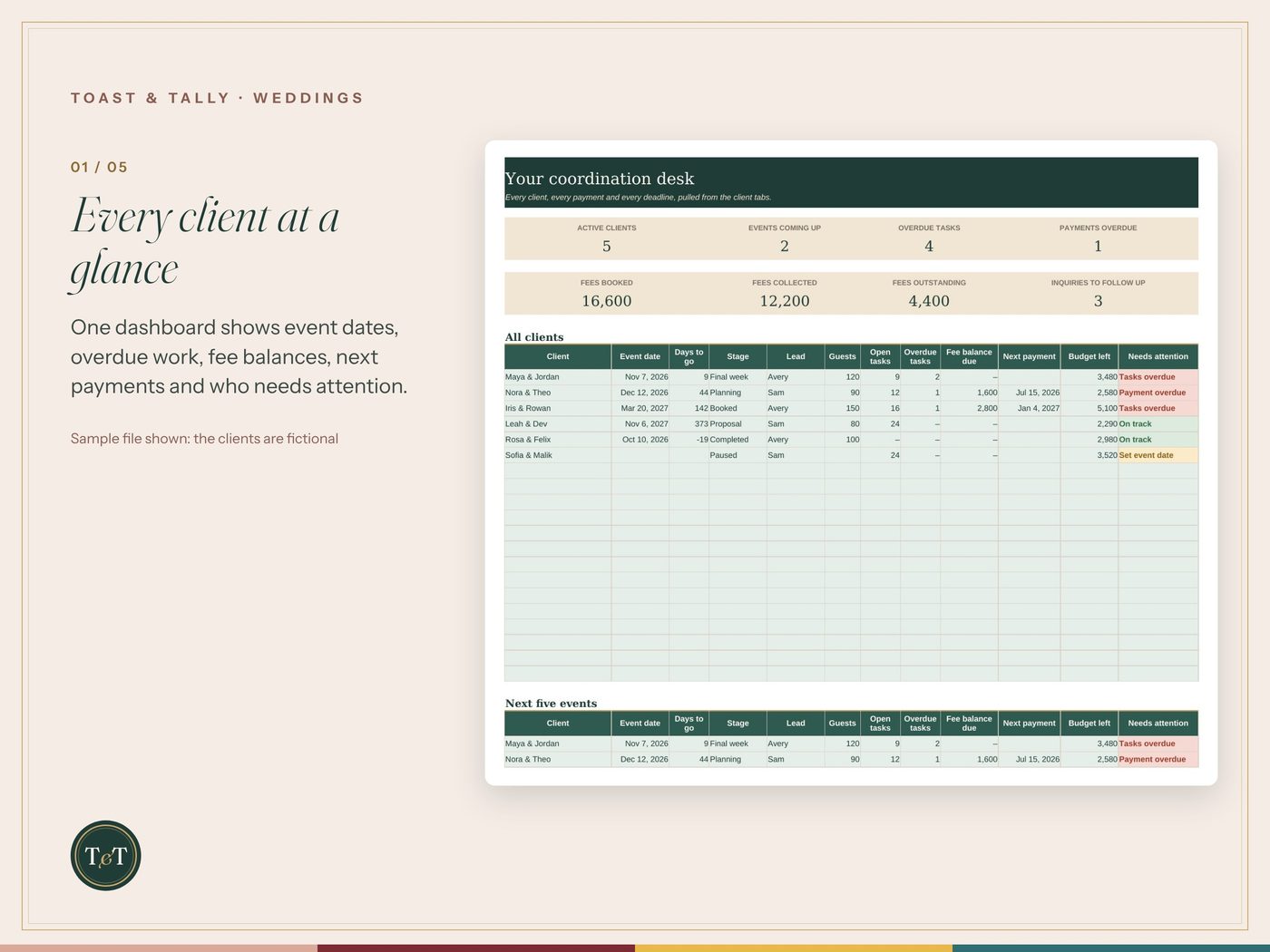
Run every wedding from its own tab. The Coordinator Edition gives each client a full workspace (event details, your fee schedule, the client's budget, tasks, vendors and a day-of run sheet) and one dashboard that shows who is overdue and who owes you a payment.
$149.00
Instant digital download · Blank and sample .xlsx workbooks + PDF quick-start guide. Use in Excel or Google Sheets. Nothing is shipped.
Buy on Etsy · $149.00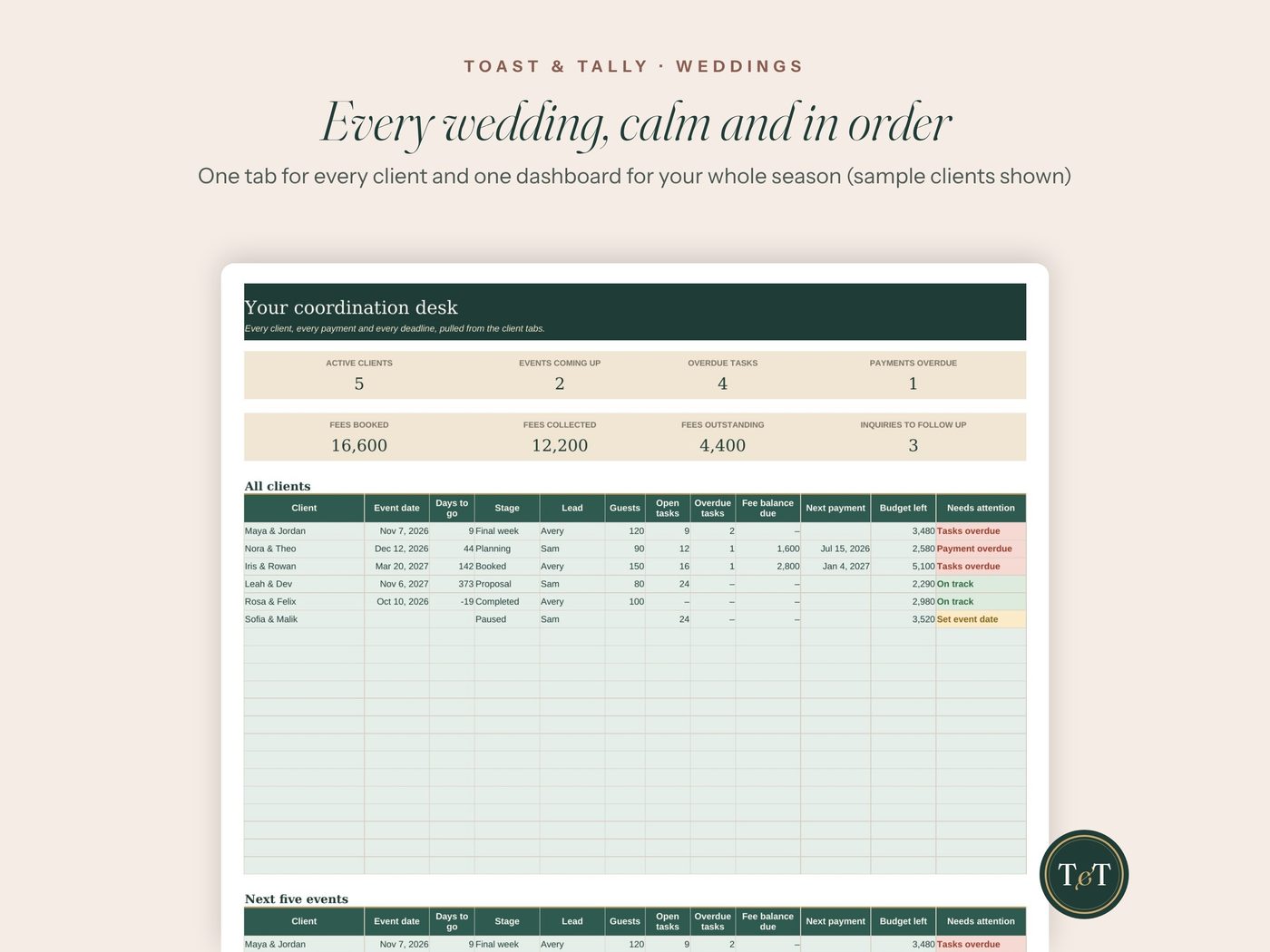
See the product
What's inside
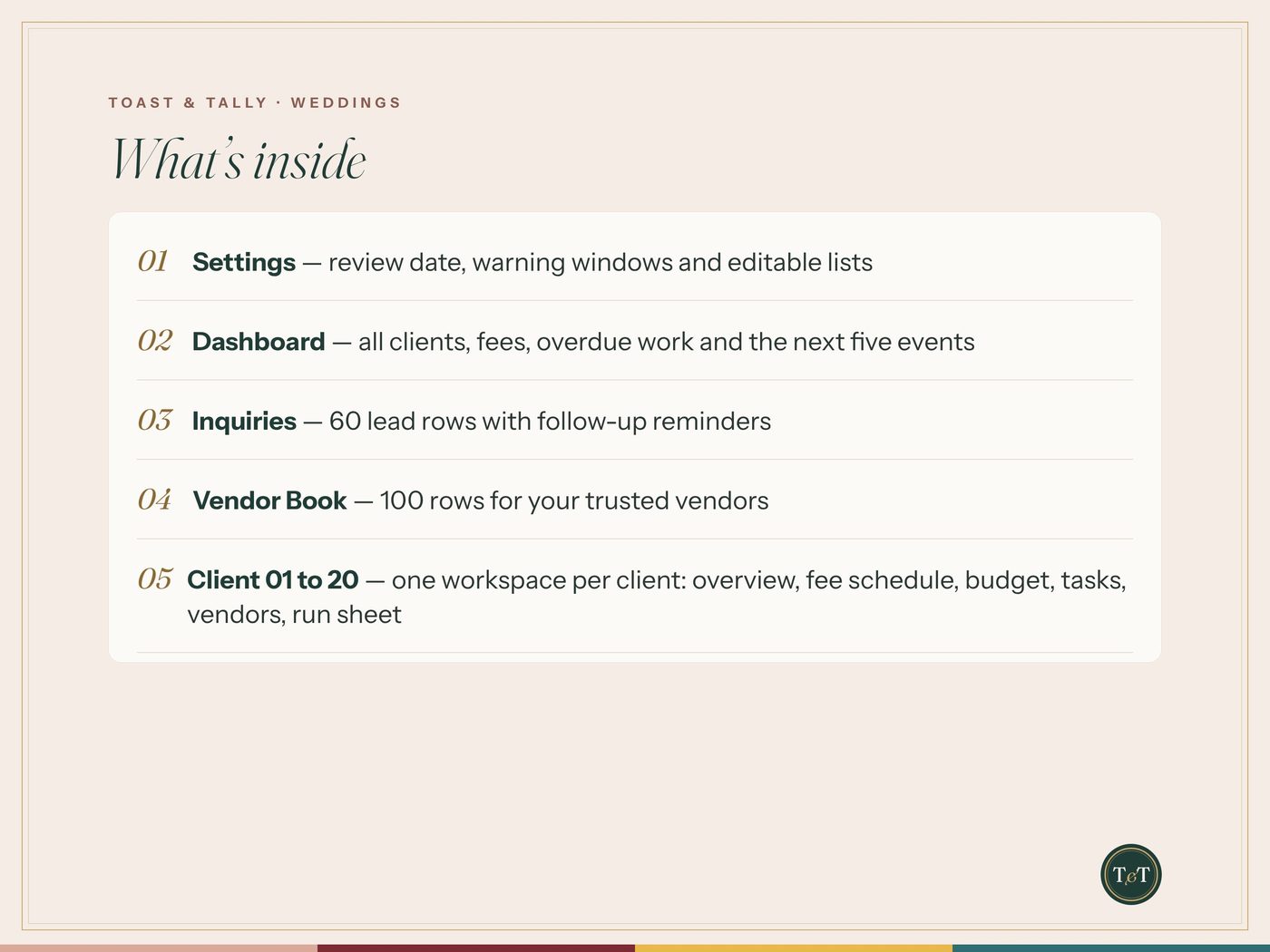
- Settings — review date, warning windows and editable lists
- Dashboard — all clients, fees, overdue work and the next five events
- Inquiries — 60 lead rows with follow-up reminders
- Vendor Book — 100 rows for your trusted vendors
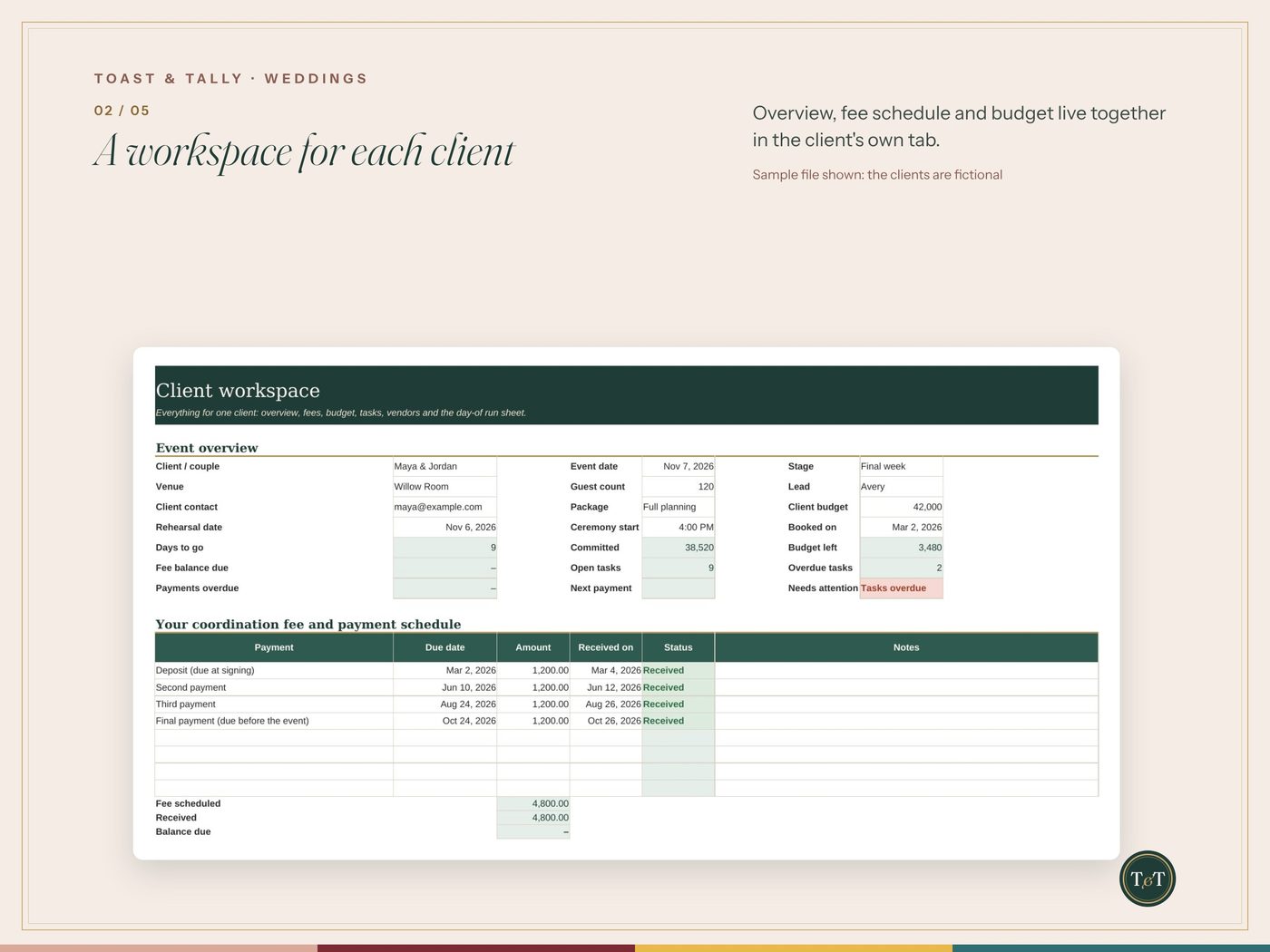
- Client 01 to 20 — one workspace per client: overview, fee schedule, budget, tasks, vendors, run sheet
Details
Run every wedding from its own tab. The Coordinator Edition gives each client a full workspace (event details, your fee schedule, the client's budget, tasks, vendors and a day-of run sheet) and one dashboard that shows who is overdue and who owes you a payment.
WHAT YOU GET
• 20 client workspace tabs, each laid out the same way
• A dashboard that reads every client tab: event date, days to go, open and overdue tasks, fee balance, next payment, budget left and a "needs attention" flag
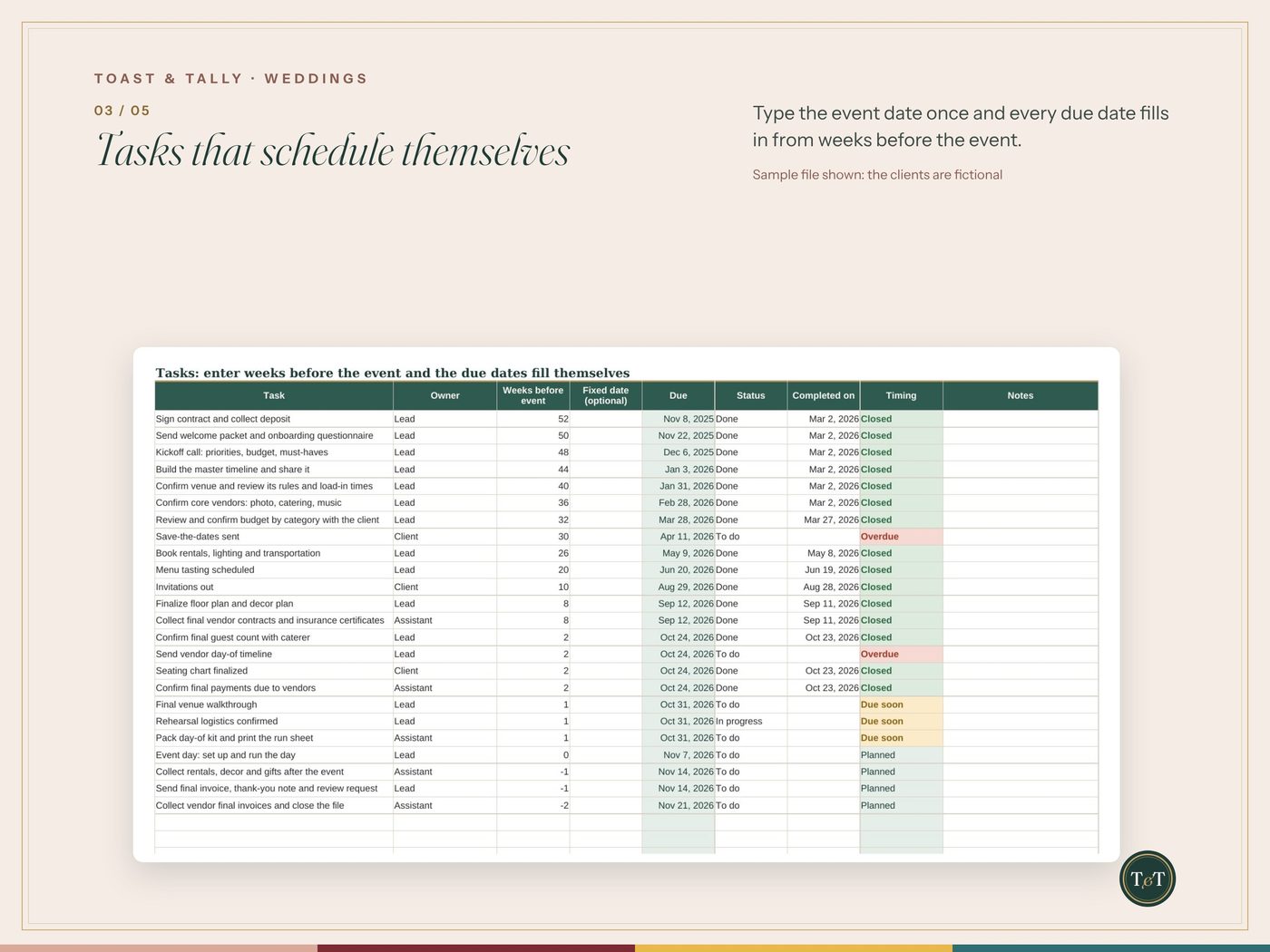
• 24 starter coordinator tasks in every client tab, timed in weeks before the event
• A fee schedule with 8 payment rows per client, with received, due soon and overdue flags
• A 25-line client budget with estimate, actual, paid and balance
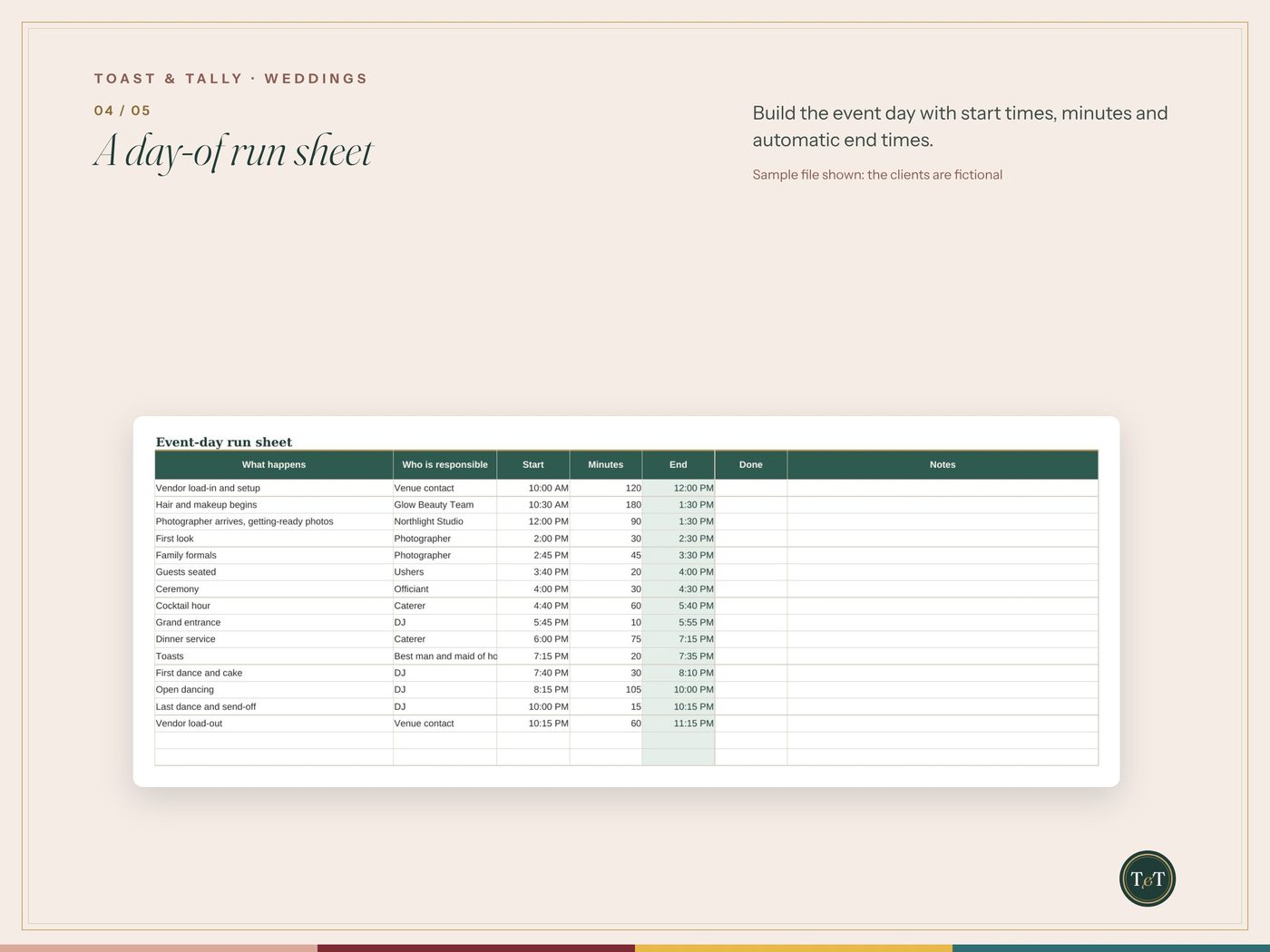
• A vendor team list with follow-up flags, and a 35-row day-of run sheet with automatic end times
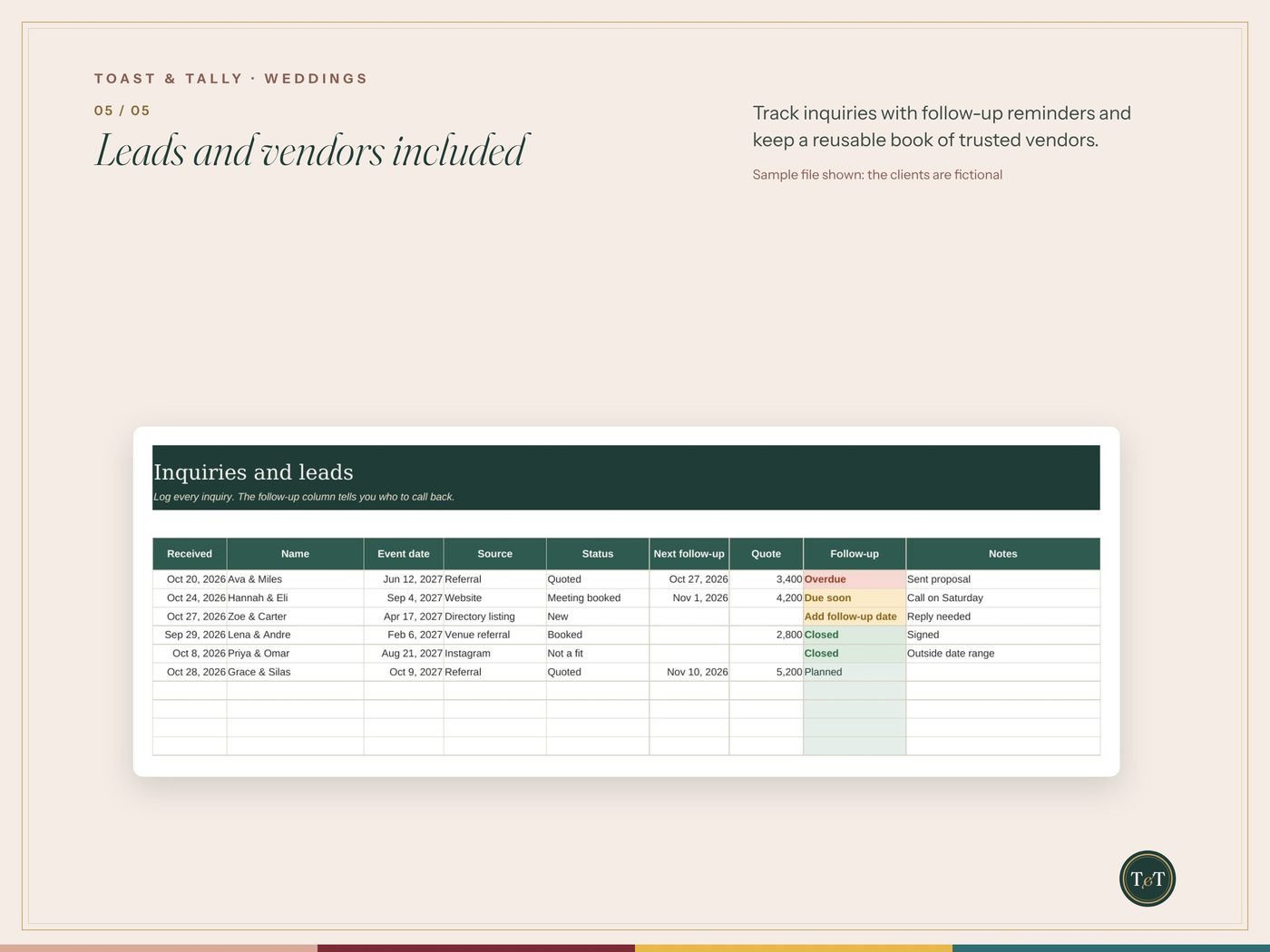
• An Inquiries tab for leads, with follow-up reminders
• A Vendor Book for your trusted vendors (100 rows)
• A Blank file for your clients, and a Sample file with fictional clients to show how it works
HOW IT WORKS
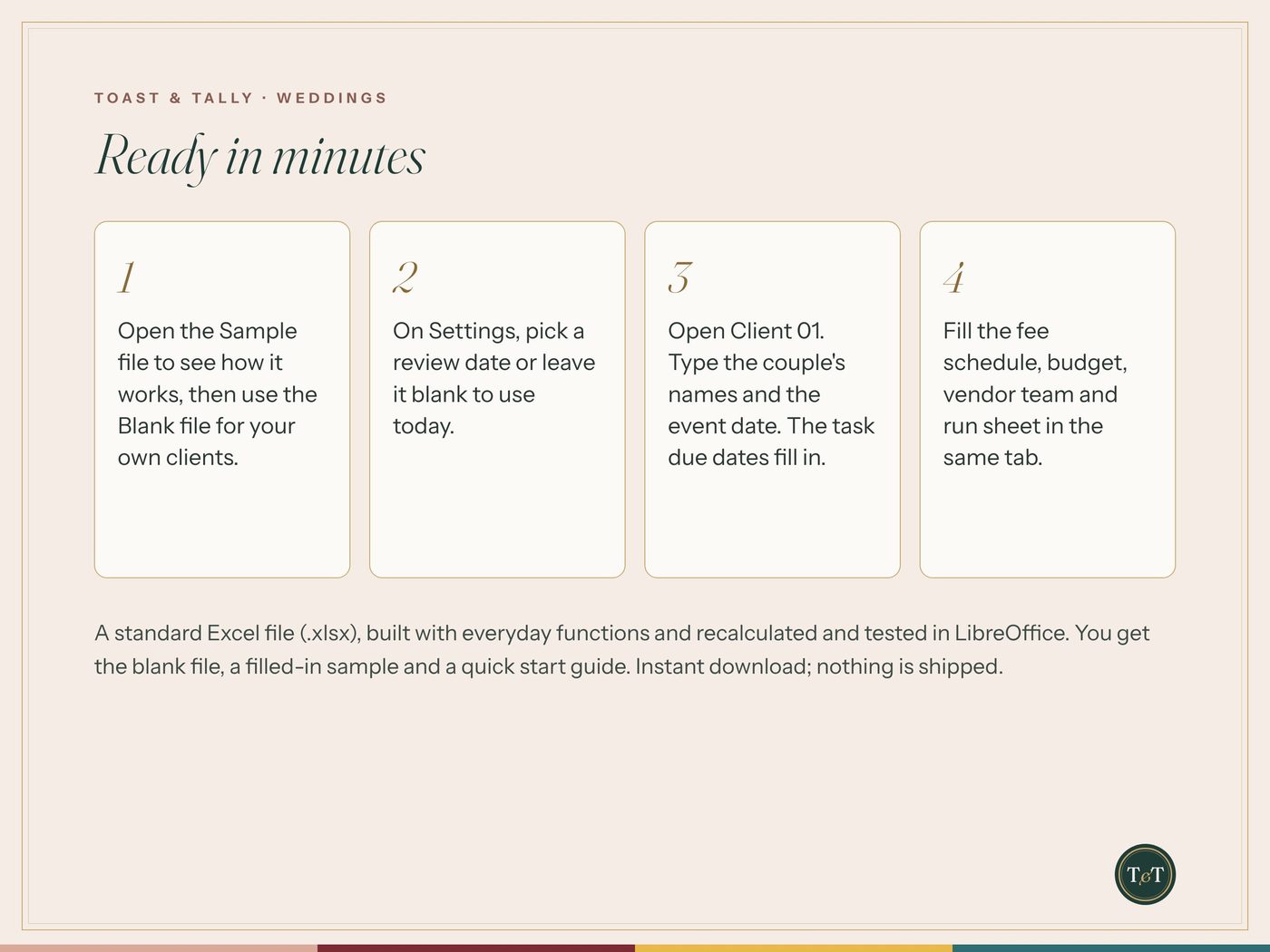
1. Open Client 01 and type the couple's names and the event date.
2. Every task due date fills itself from the date. Change a task's weeks before the event, or type a fixed date to override it.
3. Fill the fee schedule, budget, vendors and run sheet. Open the Dashboard to see all your clients at once.
FEATURES
• Type the event date once and the whole task timeline appears
• Use 0 for the event day and a negative number for work after it
• Overdue, due soon and set-event-date flags in plain colors
• A client appears on the Dashboard as soon as you name it, and blank tabs stay out of the way
• Rename any client tab to the couple's names
• Dropdown lists you can edit on the Settings tab
• Separate Blank and Sample workbooks
COMMERCIAL-USE LICENSE (12 MONTHS)
This listing is a license for your wedding, event or day-of coordination business.
• Use it for as many paying clients and events as you like for 12 months
• Give each client their own filled-in copy, branded as you like. Clients keep their copies
• Up to 3 people in your business may use it
• Do not resell, share or give away the blank files
The full license is on the last page of the quick start guide. It does not renew by itself. To keep using it for new clients after 12 months, buy a new license.
PLEASE NOTE
This is a planning and tracking workbook. It does not send invoices, take payments or replace your accounting. Keep client details you enter safe and handled as your contracts require. We never see what you type into your copy. Sample names, venues and vendors are fictional. If you need more than 20 clients, start a fresh copy of the Blank file for the next season.
WORKS WITH
A standard Excel (.xlsx) file built with everyday functions (SUM, COUNTIFS, INDEX and MATCH, IF) that Microsoft Excel and Google Sheets also have. Every formula is checked and tested before it is listed. Best on a computer or tablet.
WHAT YOU RECEIVE
• Wedding Coordinator Edition - Blank.xlsx
• Wedding Coordinator Edition - Sample.xlsx
• A quick start guide with the license (PDF)
This is a digital download. Nothing is shipped.
QUESTIONS?
Message us on Etsy. We're happy to help you get set up.
Buy on Etsy · $149.00